

Thing Thing Arena 3 Hints and Tips
Need some help with Thing Thing Arena 3? Check out these cheats, hints, tips and walkthroughs. New info is added regularly.
Play Thing Thing Arena 3 now! Find more Crazy Monkey Game Hints and Tips.
Check out other games at Crazy Monkey Games;
Thing Thing Arena 3
Object
The object of Thing-Thing Arena 3 is to kill as many enemies as possible and to do so with style. Points are awarded for killing enemies, and depending on how you kill them, you will be awarded additional points.
You're only allowed to carry 2 weapons at a time as well as your lead pipe. If you have any fewer weapons, any that you walk over will be automatically added to your inventory. Also, if a weapon is allowed to be dual wielded, you'll automatically pick up its companion weapon.
Controls:
- Move Left and Right: A and D
- Jump: W
- Duck/Take Cover: S
- Run: Shift
- Shoot: Left Click
- Change Weapon: E or Mouse Wheel
- Reload: R
- Throw/Exchange Weapon: Space
- Switch to Melee: Q or Click Mouse Wheel
- Grab/Execute: F
- Pause: P
- Note: Keys can be remapped at any time in the Options menu and Pause menu.
Character Moves and Actions
- Front Flip/Back Flip:
- Performed when double jumping depending on which direction you're moving. Front flips and back flips are a great evasive maneuver because it makes it more difficult for enemies to track you, and reduces your target profile.
- Ground Stomp:
- Performed when double-tapping the duck key (default "S" key) after jumping once. Enemies can be stomped on to do damage.
- Take Cover:
- Press the duck key (default "S" key) when close to a wall to take cover against it. Ducking reduces your target profile, and being against a wall improves your odds of not getting hit even more.
- Grab, Execute:
- When an enemy has been stunned (for example, when they're shot and take damage) you'll have a brief amount of time to press the grab key (default "F" key). When you've successfully grabbed an enemy, you can then press the grab key again to execute them. You will not be able to be hit by other enemies when you're performing an execution.
- Throw Weapon:
- Press the throw weapon key (default "Space" key) and you will discard the weapon you're holding. It can be used to hit enemies as well.
Scoring and Bonuses
For every kill you will receive points depending on how the enemy was terminated. Bonuses can often be combined to yield a higher score. There are also many bonuses awarded for completing certain tasks.
A list of all of the bonuses and achievements you've earned can be found in the Pause menu ("P" Key).
Achievements
Kill - 10 (Kill an enemy)
Headshot - 20 (Kill an enemy with a headshot)
Gibbed - 30 (Kill an enemy by making them explode into giblets)
Midair Kill - 15 (Kill an enemy in midair)
Midair Headshot - 25 (Kill an enemy with a headshot in midair)
Midair Gibbed - 35 (Kill an enemy by making them explode into giblets in midair)
Double Kill - 10 (Kill 2 enemies at once)
Triple Kill - 20 (Kill 2 enemies at once)
Quad Kill - 30 (Kill 2 enemies at once)
Headshot Novice - 25 (10 Headshots)
Headshot Enthusiast - 50 (25 Headshots)
Head Cracker - 100 (50 Headshots)
Lobotomizer - 200 (75 Headshots)
Brain Surgeon - 400 (100 Headshots)
Crainial Eviscerator - 1000 (150 Headshots)
Killer! - 100 (15 Kills)
Mass Murderer - 200 (50 Kills)
First 100 - 300 (100 Kills)
Misanthropist - 400 (150 Kills)
OVER 9000!!! - 9000 (9001 Kills)
Bloody Footprints - 200 (10 foot shots)
Lead Foot - 400 (25 foot shots)
Foot Fetish - 800 (50 foot shots)
Podiatrist - 1600 (100 foot shots)
Ammo Efficiency - 200 (25 multi kills)
Ammo Conservationist - 500 (50 multi kills)
Multi-Kill Master - 1000 (150 multi kills)
Pyro-curious - 100 (25 explosives kills)
Pyrotechnician - 500 (50 explosives kills)
Pyromaniac - 1000 (100 explosives kills)
I AM A BOMB! - 5000 (200 explosives kills)
Untouchable - 5 (Killed 10 enemies without being hit)
Execution - 30 (Perform an execution on an enemy)
Tried em All - 100 (Get a kill with every weapon)
Pain Don't Hurt - 25 (get down to near death and survive)
Gun Chucker - 20 (Last hit on enemy was with a thrown weapon)
You can shoot them too - 80 (Kill an enemy with only thrown weapons)
Variety Kill - 50 (Shoot/Hit an enemy with 4 different weapons)
Pincoushin - 10 (Kill an enemy with 4 arrows to the head)
Pinned Down - 25 (shoot enenmy in head, body, foot w/arrows)
Beat Down! - 5 (Kill an enemy with only headshots w/ lead pipe or stomps)
Explosives Overkill - 10 (Shoot an enemy with 3 grenade darts)
Can't wait for it - 15 (Shoot an enemy with a grenade dart, then with spiked grenade)
ITSATRAP! - 200 (detonate 50 spike grenades on enemies)
//beretta bonuses
9mm Warrior - 100 (15 kills with 1 Beretta)
Sidearm Focus - 250 (30 kills with 1 Beretta)
Beligerantly Understated - 1000 (50 kills with 1 Beretta)
//dual beretta bonuses
2 Is Better Than 1 - 100 (25 kills with dual Berettas)
Death In Stereo - 250 (50 kills with dual Berettas)
Deciple Of Woo - 1000 (100 kills with dual Berettas)
//magnum bonuses
Handcannon Proficency - 100 (25 kills with the Magnum)
Soar Hands - 250 (50 kills with the Magnum)
Do Ya Feel Lucky? - 1000 (100 kills with the Magnum)
//thompson bonuses
I Let My Gun Do The Talkin, See? - 100 (25 kills with the Thompson)
You'll never take me alive, Coppers! - 250 (50 kills with the Thompson)
Chicago Memoir - 1000 (100 kills with the Thompson)
//glock 18 bonuses
Safe, Semi, KILL - 100 (15 kills with 1 Glock 18)
Spray and pray champ - 250 (30 kills with 1 Glock 18)
Abundance Of Ammunition - 1000 (50 kills with 1 Glock 18)
//dual glock 18 bonuses
Who needs accuracy? - 100 (25 kills with dual Glock 18s)
Wall of fire - 250 (50 kills with dual Glock 18s)
Bullet hose wrangler - 1000 (100 kills with dual Glock 18s)
//lever shotgun bonuses
Kicks like a muel - 100 (15 kills with 1 Lever Shotgun)
short distance engagement - 250 (30 kills with 1 Lever Shotgun)
Shove it up their nose and pull the trigger - 1000 (50 kills with 1 Lever Shotgun)
//dual lever shotgun bonuses
Terminated - 100 (25 kills with dual Lever Shotguns)
Even better than a double barrel - 250 (50 kills with dual Lever Shotguns)
Hasta La Vista - 1000 (100 kills with dual Lever Shotguns)
//auto shogun bonuses
Buckshot artist - 100 (25 kills with the Auto Shotgun)
Scattergun master - 250 (50 kills with the Auto Shotgun)
Shotgun Sniper - 1000 (100 kills with the Auto Shotgun)
//rebound shotgun bonuses
On the rebound - 100 (25 kills with the Rebound Shotgun)
Can't miss - 250 (50 kills with the Rebound Shotgun)
Collateral damage - 1000 (100 kills with the Rebound Shotgun)
//pancor bonuses
No such thing as overkill - 100 (25 kills with the PANCOR Shotgun)
The more the merrier - 250 (50 kills with the PANCOR Shotgun)
Buckshot firestorm - 1000 (100 kills with the PANCOR Shotgun)
//spike grenade bonuses
Tactical Grenadier - 100 (25 kills with the Spike Grenade Launcher)
This is how to arc it - 250 (50 kills with the Spike Grenade Launcher)
Fire and shrapnel; this is my love - 1000 (100 kills with the Spike Grenade Launcher)
//grenade dart bonuses
Surprise inside! - 100 (25 kills with the Grenade Dart Launcher)
Five Second Fuse - 250 (50 kills with the Grenade Dart Launcher)
Tag! You're Dead! - 1000 (100 kills with the Grenade Dart Launcher)
//laser cannon bonuses
IMMA CHARGIN MAH LAZER - 100 (25 kills with the Laser Cannon)
IMMA FIRIN MAH LAZUR - 250 (50 kills with the Laser Cannon)
LAZOR OVURLOAD! - 1000 (100 kills with the Laser Cannon)
//tavor bonuses
This is my rifle - 100 (25 kills with the Tavor)
Bring on the assault - 250 (50 kills with the Tavor)
Never bring a pistol to a rifle fight - 1000 (100 kills with the Tavor)
//arrow gun bonuses
Skewered - 100 (25 kills with the Arrow Gun)
Human Shish Kebab - 250 (50 kills with the Arrow Gun)
Piercing Glare - 1000 (100 kills with the Arrow Gun)
//pipe bonuses
Crude but effective - 100 (25 kills with the Lead Pipe)
Clubby goodness - 250 (50 kills with the Lead Pipe)
Lead Pipe Ninja - 1000 (100 kills with the Lead Pipe)
//acid genade bonuses
Chemical Burn - 100 (25 kills with the Acid Grenade Launcher)
Flesh Melter - 250 (50 kills with the Acid Grenade Launcher)
Corrosive personality - 1000 (100 kills with the Acid Grenade Launcher)
//Artifact 19 bonuses
500,000 Volts - 100 (25 kills with the Artifact 19)
Lightning Death Dealer - 250 (50 kills with the Artifact 19)
Divine Powers - 1000 (100 kills with the Artifact 19)
Weapons
Beretta 92 FS
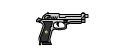
Capacity: 15
Damage: 4
Reload Time: 1.5 Seconds
Can be used as a Dual Weapon. Fires quickly (with dual) and has a minimal reload time. A good fall-back weapon.
Magnum
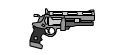
Capacity: 6
Damage: 10
Reload Time: 3 Seconds
Lots of power, but low capacity and a slow reload time.
Thompson SMG
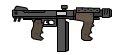
Capacity: 35
Damage: 2
Reload Time: 2 Seconds
Has a good rate of fire and good damage. An okay all around weapon.
Glock 18c
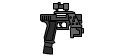
Capacity: 30
Damage: 2
Reload Time: 1.5 Seconds
Can be used as a Dual Weapon. If you've got the ammo to spend, these are highly deadly. The extremely fast rate of fire combined with the fast reload time make this an excellent weapon to get bullets down-range.
Lever-Shotgun
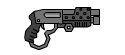
Capacity: 7
Damage: 4x5 Bullets
Reload Time: 2 Seconds
Can be used as a Dual Weapon. While on its own, offers no advantage over the M-1187, when used in dual offers a fast reload time and large capacity of ammo. Very effective at close range.
M-1187
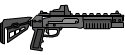
Capacity: 7
Damage: 4x5 Bullets
Reload Time: 2 Seconds
Lots of damage at close range, this weapon is a good all around shotgun.
Rebound Gun
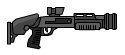
Capacity: 10
Damage 6x5 Bullets
Reload Time: 2 Seconds
Excellent for shooting enemies around corners, or clearing out rooms. The bullets are ineffective unless they've bounced off of walls first, and therefore require a different strategy than other shotguns.
PANCOR Jackhammer
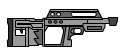
Capacity: 20
Damage: 2x5 Bullets
Reload Time: 4 Seconds
Cleaning out rooms is made easy with this. Beware of its very long reload time, though.
Proxy Mine Launcher
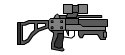
Capacity: 1
Damage: Up to 30
Reload Time: 1 Second
Mines can be launched at walls (where the mine will stick) and can be used to set up traps for approaching enemies. Alternately, the mines can be launched directly at enemies. Beware of splash damage!
Grenade Dart Launcher
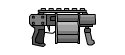
Capacity: 6
Damage: Up to 30
Reload Time: 2 Seconds
A grenade with a 5-second fuse is attached to a razor sharp spike and launched from this weapon. Grenades will stick in walls, and enemies alike. The non-instantaneous explosion makes this a more advanced weapon.
Laser Rifle
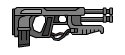
Capacity: 7
Damage: Up to 12
Reload Time: 2.5 Seconds
Fires a high intensity laser that can penetrate through multiple enemies. Great for multi kills and clearing rooms. The low capacity and somewhat slow reload time combined with a fast rate of fire make timing key.
Tavor
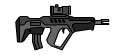
Capacity: 30
Damage: 3
Reload Time: 2 Seconds
Fast reload time, fast rate of fire, and reasonably fast rate of fire, and high accuracy make this an all around excellent weapon to use.
Arrow Launcher
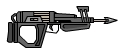
Capacity: 15
Damage: 5
Reload Time: 2 Seconds
What's old is made new again. Arrows deal a somewhat large amount of damage, and fast rate of fire.
Acid Grenade Launcher
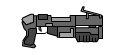
Capacity: 5
Damage: 4 Per Second
Reload Time: 2 Seconds
Creates a cloud of vaporized acid where the grenade lands. The acid does Damage Over Time to enemies (or you) if they step into the cloud. Great strategical weapon.
Artifact 19

Capacity: ?
Damage: ?
Reload Time: ?
A mysterious ultimate weapon only awarded to those who truly understand how to use any weapon in combat. Its abilities are unknown.

